You’re NOT Done Yet!
There’s One More Step
Do this now so my next emails reach you.
I send everything by email.
If that email stays where it is, my next emails won’t reach your inbox.
I just sent The 5-Minute Potty and Crate Plan to the email you entered.
Your guide is NOT on this page. It’s in that email, so go find it right now.
It’ll take a couple of minutes to hit your inbox. Open that email and click the link inside to download the guide.
Look for this email
From nameTrain Your Dog At Home
From emailtrainer@trainyourdogathome.com
SubjectHere’s your 5-Minute Potty and Crate Plan
Find it right now. Look here:
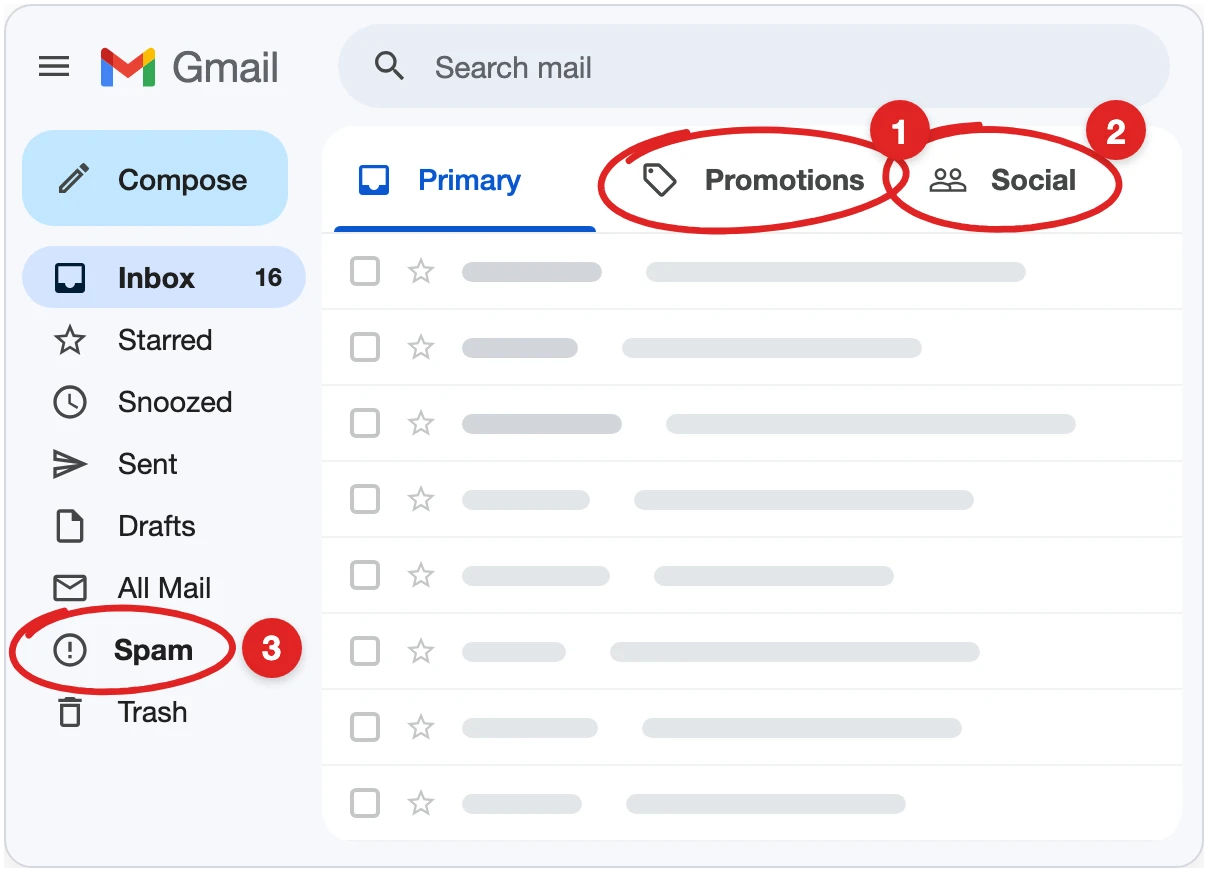
On your phone? Type trainer@trainyourdogathome.com into the search bar at the top of Gmail. For Spam, tap the three lines at the top left to open the menu.
On Outlook? Look in your Junk Email folder.
Not on Gmail or Outlook? Check your Spam or Junk folder.
Found it? Move it to your main inbox now, so my next emails reach you.
Leave this page open until the email shows up.
Nothing after 5 minutes, even in those spots? You may have typed your email wrong by accident. No big deal. Tap the button and put it in again.
Tap here if you think you typed the wrong email